

SJAI Job Hub
Out now
Less chasing. More getting it done.
SJAI Job Hub is the job app for builders, their site teams and their customers. Job updates, photos, documents and extra-work requests, kept together in one place on your phone.
Free on Google Play, and on iPhone straight from Safari. Start free with 14 days of Pro, no card needed. Built and used by SJ Developments on our own jobs.

Google Play: UK and Ireland. iPhone needs no App Store download — see the steps below.
See it in under a minute, sound on. Invented jobs, names and figures.
Get the app
Three steps on any phone.
Android phones
From Google Play
- Tap Get it on Google Play, or search “SJAI Job Hub” in the Play Store.
- Tap Install, then Open.
- Builders: tap Create your business account. Crew and customers: open the link your builder sent you.
Available in the UK and Ireland. Plans are managed on the website, not inside the app.
iPhone and iPad
From Safari, no App Store needed
- Open Job Hub sign-up in Safari and create your business account. Crew and customers: open your builder’s link in Safari.
- Tap the Share button (the square with an arrow pointing up).
- Scroll down, tap Add to Home Screen, then Add. Job Hub now opens from its own icon, full screen.
Came here from Instagram or Facebook? Tap the ··· menu and choose Open in Safari first. Add to Home Screen only works in Safari.
Site teams and customers
Nothing to sign up for
- Your builder sends you a link by WhatsApp, text or email.
- Open it. You see only the job or jobs you are on.
- Optional: install the app, or add it to your Home Screen, so it is one tap away.
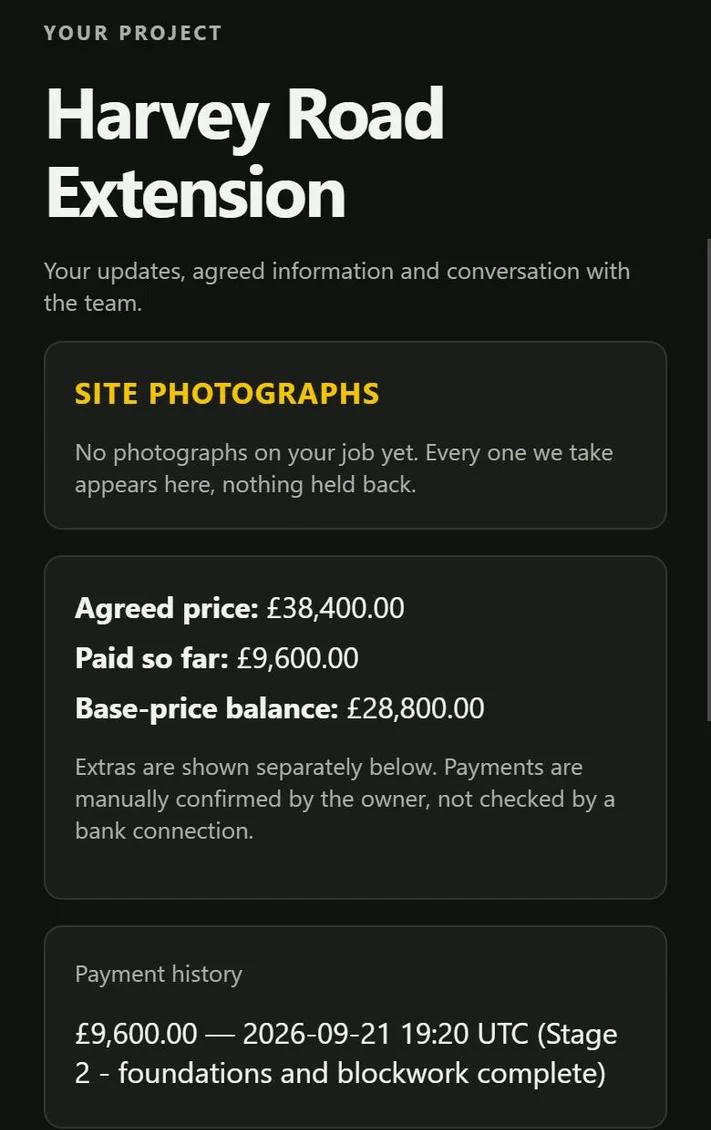
Customers only ever see their own job, and only the documents the builder chooses to share.

On a computer? Scan this with your phone’s camera to open the download page.
Sound familiar?
Photos on someone’s phone. Updates buried in WhatsApp.
An extra agreed on a call and forgotten by Friday. A drawing emailed to one lad and nobody else. A customer ringing to ask what happened today, because nothing told them. None of it is anyone’s fault — it is just what happens when a job lives in six different apps.
What it does
One thread per job, and everyone sees what they should.
The office
One screen showing questions waiting on a reply, extras waiting on a price and payments waiting on a check.
The site team
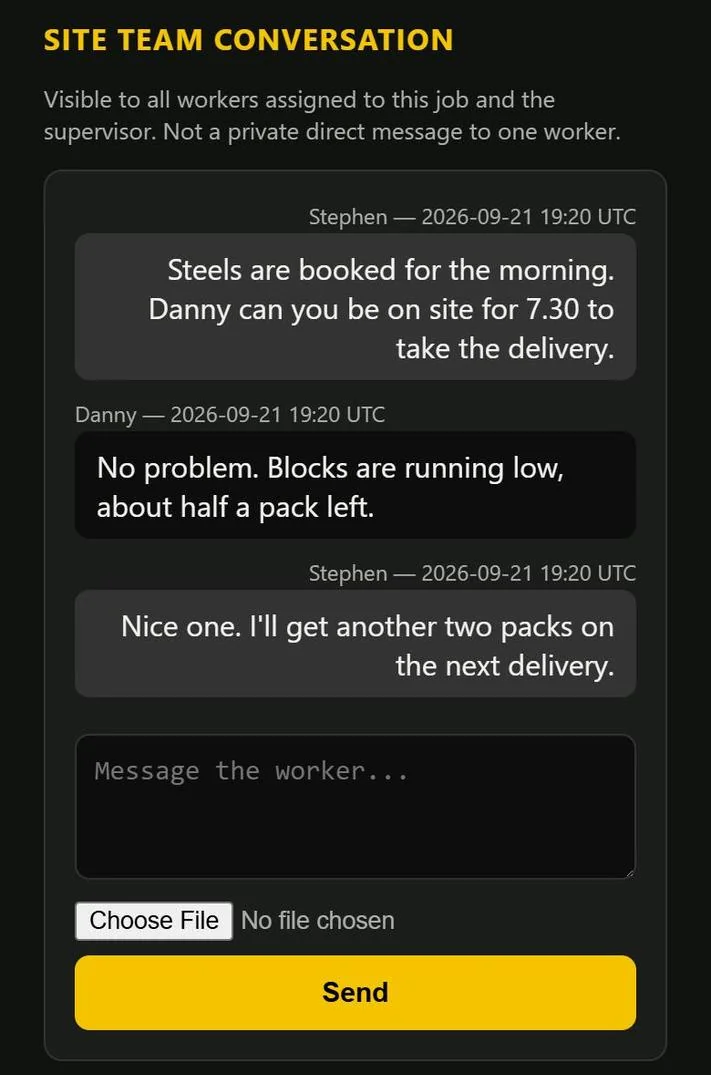
Workers open the jobs they are on, check the drawing and send a photo or a message straight to the site team thread.
The customer
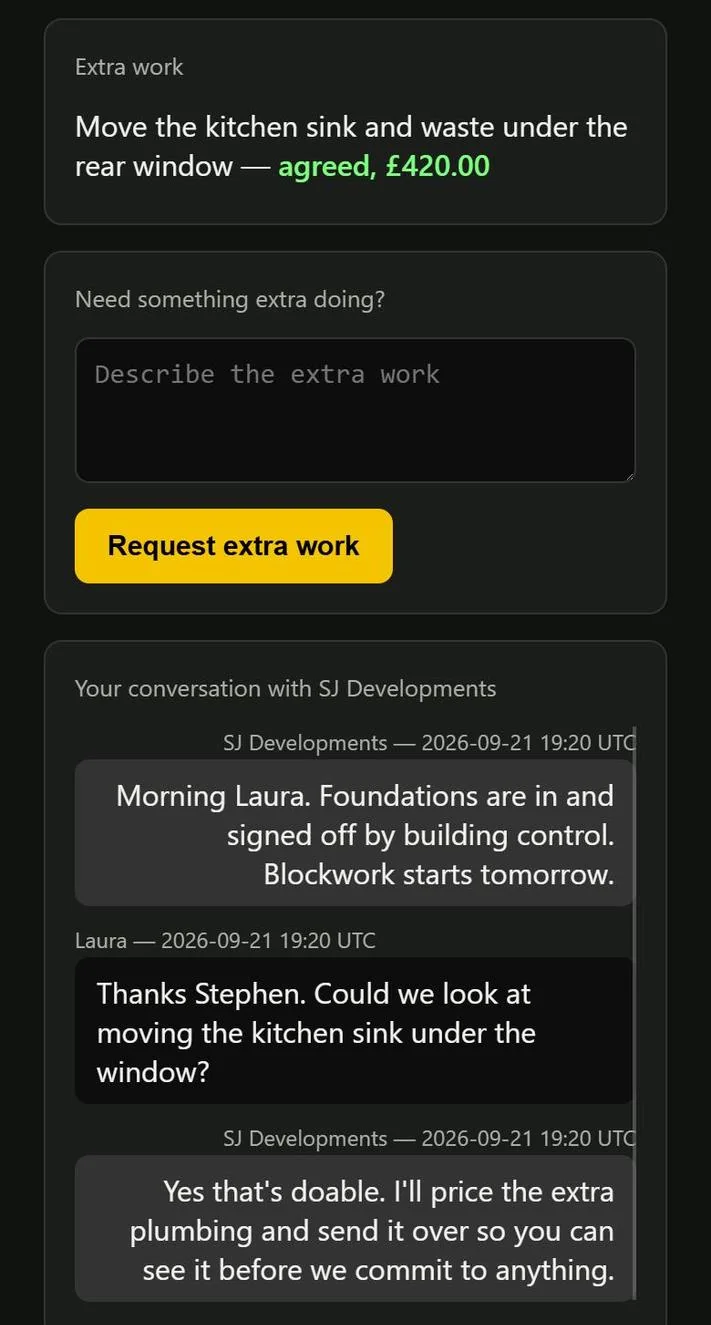
Their own conversation, and only the documents the builder has deliberately shared with them. Nobody gets the wrong file.
Extra work, agreed properly
The customer asks, the builder prices it, the customer accepts that exact version, and the builder confirms it. Written down, with its history.
Payment records
Requested, provisionally received and checked-off payments are kept as different things, and a correction keeps its trail.
Built on real jobs
Everything in it exists because a job of ours needed it — not because it looked good in a demo.
Examples
What the screens actually look like.
Demonstration screens using invented jobs, names and figures.
Plans
Start free. Upgrade when it earns its keep.
Free
£0One active job and up to three workers. Every new account starts with 14 days of Pro, no card needed.
Pro
£29 /month + VATUnlimited jobs, up to ten workers and the supervisor link. Or £290 a year + VAT.
Founding Builder
£15 /month + VATPro for the first 15 building businesses, fixed while you stay subscribed. By invitation — ask for a place.
Team
Coming soonUnlimited jobs, unlimited workers and the supervisor link, plus snagging and QA on drawings and site photos. See the demo.
Built inside SJ Developments and used on our own jobs. Payments are recorded by the builder after checking their bank — the app does not connect to a bank. Questions or something missing? hello@sjai.uk
Google Play and the Google Play logo are trademarks of Google LLC. iPhone, iPad and Safari are trademarks of Apple Inc.
Coming soon
The Team plan: sites, crews and snags.
For builders running several sites and bigger crews. Snagging is in final testing and not live yet.
- Unlimited jobs and unlimited workers, each with their own link
- A supervisor link across every job
- Tap a drawing or a site photo to pin a snag, then describe and assign it
- Track each snag from open to fixed to accepted, with before and after photos
- A printable snag report you can save as a PDF
Under a minute, no sound needed. Invented jobs, names and photos.